

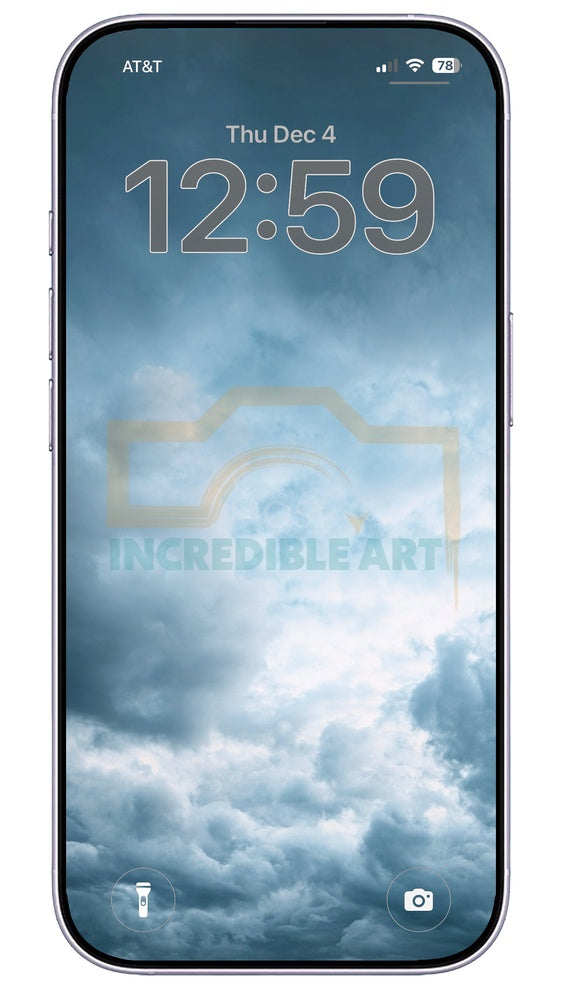
Dark Moody Phone Backgrounds Pack - 14 Vertical Images – Phone Backgrounds for iPhone & Android
Couldn't load pickup availability
Discover our Dark Moody Phone Backgrounds Pack, featuring 14 striking vertical images designed specifically for your smartphone. Perfectly sized for 9:16 displays, these backgrounds will add a touch of depth and intrigue to your device. Whether you own the latest iPhone 14, iPhone 15 Pro, Samsung Galaxy S23, Samsung Galaxy S24, or Google Pixel 8, these wallpapers will fit beautifully. Each image captures a unique dark aesthetic, making your phone stand out while keeping it stylish. Ideal for anyone looking to personalize their device with an artistic flair, this digital pack offers a variety of designs that can easily reflect your mood or personality. Download now and give your phone a fresh new look!
This download includes 14 vertical phone backgrounds sized for modern iPhone and Android devices, including models like iPhone 14, iPhone 15 Pro, Samsung Galaxy S23 / S24, and Google Pixel 8.
Note: The preview images show our MIA watermark logo, but your downloaded phone backgrounds will NOT include the watermark.
More digital downloads you might like:
- Modern Holiday Card Set - Deer, Santa, Trees - Digital Download - A6, B5, A4, A3 - 300 DPI Printable Designs
- Printable Art Set for Christmas | 14 Rustic Winter Snowy Gallery Wall Decor Prints 2
- Printable Art Set for Christmas | 20 Classic Rustic Winter Prints Gallery Wall Decor Prints 3
Grab some free downloads too:
Share

How to Download & Use Your iPhone Wallpaper
- Add this wallpaper to your cart and complete the checkout.
- On the order-confirmation page (and in the email) tap Download to grab the ZIP file.
- Your iPhone opens the file in the Files app. Tap the ZIP once to automatically unzip it.
- Open the extracted folder, tap a wallpaper, then tap the Share icon → Save Image.
- Go to Settings › Wallpaper (or long-press in Photos) and set it as your Lock / Home screen.
Tip: You can AirDrop the files straight to your iPad or Mac too!